AutoCAD JOIN Command
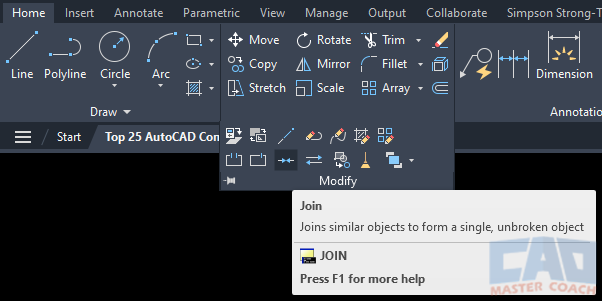
JOIN Command Access
COMMAND LINE: JOIN

DEFAULT KEYBOARD SHORTCUT: J
RIBBON: HOME | MODIFY TAB | JOIN
How to JOIN Objects Together In AutoCAD
The JOIN command is used to join two separate objects into one object.
When the JOIN command is initiated, the Dynamic Input indicates to Select a Source Object, or Multiple Objects to Join at Once. Whichever option is chosen, if the objects have different properties, all objects that are joined will be assigned the properties of the first object that is selected.
When two objects are selected that cannot be joined, the command fails, and AutoCAD returns a message that says, “0 Objects Joined”.
To successfully use the JOIN command, one of two conditions must be met:
- Two lines must be colinear and on the same Z plane, separated by a distance such that a line that is colinear to the two lines being joined. In this case, one line will be created from the original two.
- All objects being joined must share a common point. Only lines, arcs, and open polylines can be joined to other objects. Circles and closed polylines cannot be joined. When objects are joined that are not colinear and share a common point, the objects are converted into an open polyline.
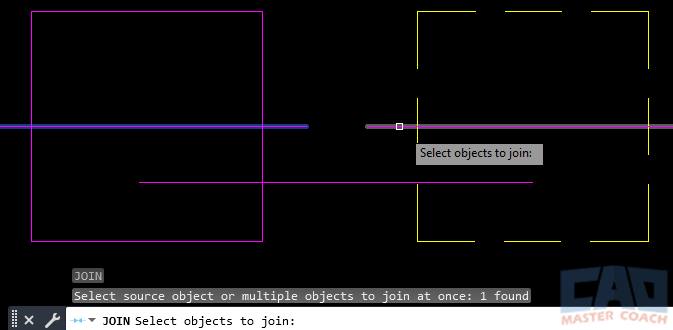
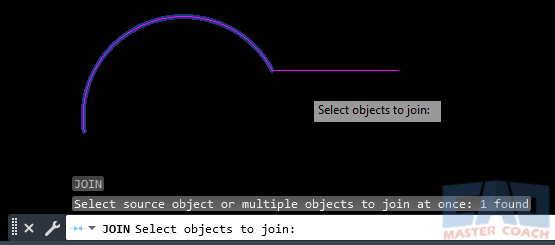
In the picture below, the left magenta line that is highlighted was the first object selected, and the magenta line at the right will be the second object selected.
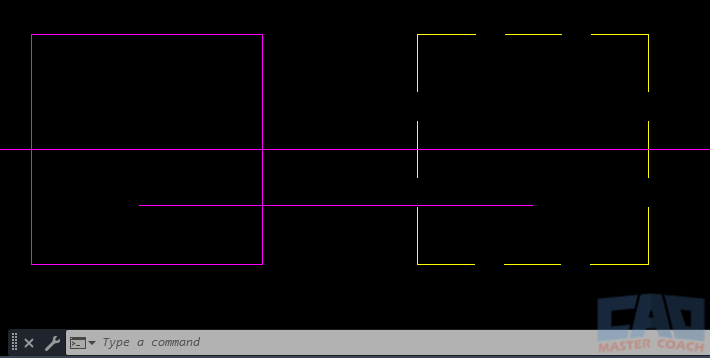
The image below shows the result of joining the two lines.
The image below shows an arc and a line being joined together to form an open polyline.
All Commands
Command Categories

Create
Explore all AutoCAD Create commands in one place. Learn how to use LINE, CIRCLE, ARC, POLYLINE, BLOCK, HATCH, and more with tutorials and practical examples.

Modify
Your complete guide to AutoCAD Modify tools—ERASE, TRIM, EXTEND, MOVE, ROTATE, OFFSET, FILLET, and more—with tips and workflows.
Notation
Complete guide to annotation in AutoCAD: text, dimensions, leaders, tables, zoom/pan basics, and clipboard tools.

Drafting Aids
Learn AutoCAD’s Drafting Aids and Precision Controls—OSNAP, Ortho Mode, Polar Tracking, Object Snap Tracking, and Dynamic Input. Improve accuracy, speed, and control with this complete guide.
All Commands
Browse every AutoCAD command in one place with this complete A–Z index. Quickly find command pages for LINE, ERASE, ZOOM, and more, with clear explanations and tips for efficient drafting.
Modify Commands



















Written by
 |
Scott Ogren, PE |
|
Scott Ogren, PE first used AutoCAD in 1993 while in college studying civil / structural engineering. In 2002, I founded Ogren Engineering and have been working for myself since. AutoCAD and drafting skills are a requirement to work for my firm. Over the years, I have coached, tutored, and taught many people how to use and become proficient with AutoCAD. Ogren Engineering: https://ogreneng.com/ In addition, Scott has written software to perform the lateral analysis of a wood-framed building. Shearwall Pro: https://shearwallpro.com/ |